
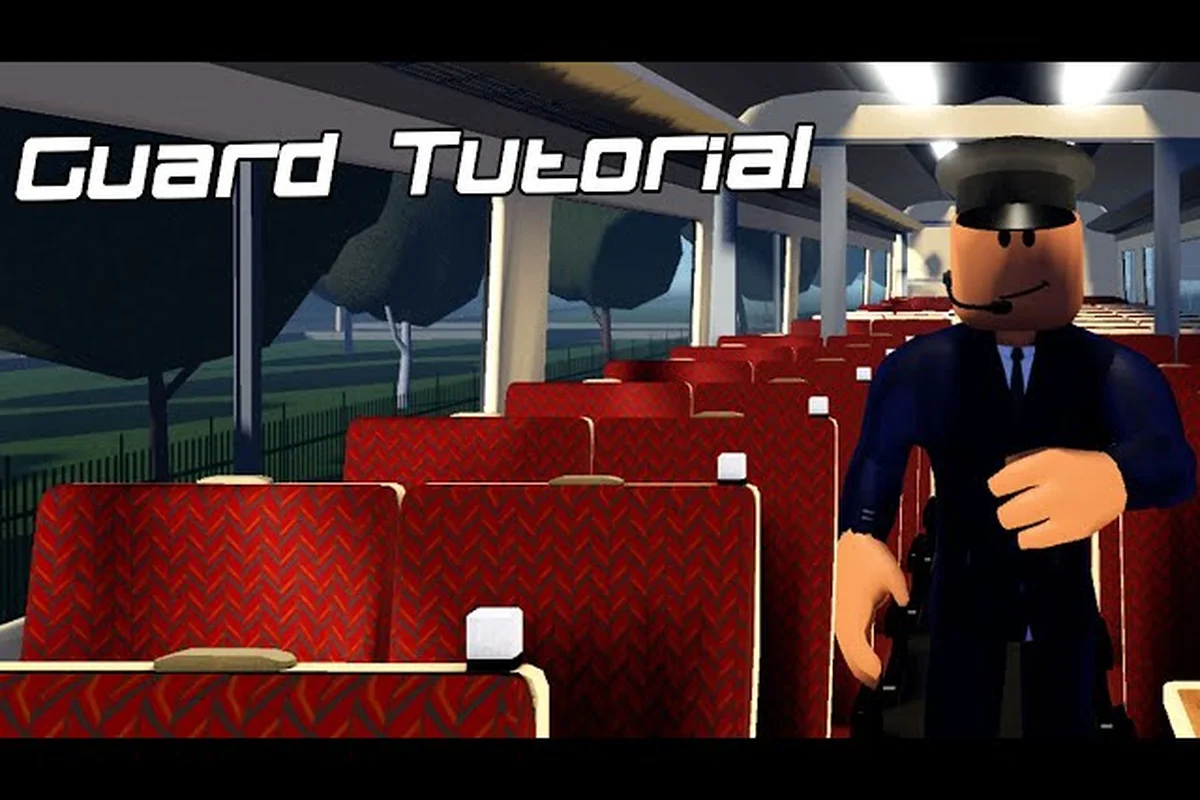
Mastering British Railway Roblox guard controls transforms you from a passive observer into the person who keeps the entire service running on time. The guard role, reworked in V1.4, now handles ticket checking, door operation, and dispatching through a dedicated interface that rewards players who understand its full depth. Whether you are preparing for your first shift or refining your technique, this guide breaks down every control, signal, and passenger interaction you need to command confidently.
According to the official British Railway game page on Roblox, the guard’s control interface and signal-response mechanics are designed to mirror real-world UK rail operations, with the game’s description outlining the core duties of managing doors and dispatching trains.
Understanding the Guard Control Interface and Core Duties
The guard interface in British Railway sits at the heart of the passenger experience, giving you direct authority over the train's doors, the intercom system, and the dispatch sequence. When you spawn into a service as a guard, your screen displays a compact control panel that changes context depending on whether you are at a station or moving between stops. The V1.4 rework streamlined these controls significantly, which means the old muscle memory from earlier versions may not translate directly to the current build.
Your primary responsibilities break down into four distinct areas that you will cycle through on every shift:
-
Ticket checking — walk through the carriages and verify that every passenger has a valid ticket before departure
-
Door control — open and close the train's doors safely at each station, watching the platform before releasing the interlock
-
Dispatch signaling — confirm that the platform is clear and give the driver the right-away signal through the intercom
-
Passenger communication — use the intercom to announce stops, delays, and any safety information to the carriage
The control scheme maps these duties to a radial menu that appears when you press the interaction key near the train's guard panel. Each option has a distinct icon, so you can build muscle memory quickly. The guard control panel also displays your current train's door status, the next station, and a timer that tracks how long you have been on duty, which helps you pace your ticket checks efficiently.
What makes the guard role genuinely engaging is that your actions directly affect the service's punctuality. If you take too long checking tickets, the departure timer runs down and the train leaves late, which impacts the score you earn at the end of the shift. Community reports consistently highlight that guards who master the interface can complete a full ticket check on a six-carriage train in under two minutes, a benchmark worth aiming for as you practice.
Passenger Mode: Managing Doors, Tickets, and the Intercom
Passenger mode is where the guard's daily routine actually plays out, and it demands a steady rhythm rather than frantic button mashing. The first skill to develop is door sequencing — the order in which you open and close doors at each station. On most British Railway services, you should open the doors only after the train has come to a complete stop and the platform-side indicator lights up green. Opening doors on the wrong side triggers a warning and costs you points, so always confirm the platform side before pressing the door release.
The ticket checking workflow follows a logical loop that you repeat at every stop:
-
Open the doors and allow passengers to alight and board
-
Walk through the carriages starting from the rear, checking each passenger's ticket
-
Use the intercom to request the driver's dispatch signal once the platform is clear
-
Close the doors and confirm the interlock before signaling the driver to depart
The intercom system gives you two distinct channels: one for communicating with the driver and another for addressing passengers. The driver channel is essential for dispatching, because you must verbally confirm that the platform is clear before the train can depart. The passenger channel handles station announcements, and using it consistently improves your service rating because passengers respond positively to clear communication.
A common mistake among new guards involves rushing the door close sequence. The train's doors have a safety interlock that prevents departure while any door is open, and forcing the close command repeatedly can desync your controls with the train's actual state. Instead, wait for the door status indicator to show all closed before you signal the driver. Players who master this patient approach report significantly fewer service interruptions and higher end-of-shift scores, according to community testing on the current build.
Signalling and Dispatching: Reading British Railway Roblox Signals
Intercom Announcement Timing: The 45-Second Rule for Peak Platforms
The intercom system in Passenger Mode runs on a fixed 45-second cooldown per train, not per guard. On busy Pencarn route services with 8+ carriages, this means you must prioritize: announce the next stop BEFORE opening doors, then use the remaining cooldown window for ticket checks. A concrete case: on the 14:32 Pencarn Central service, announcing "next stop" at the 30-second approach marker lets you complete door cycles and begin ticket inspection before the cooldown resets. Delaying the announcement until after door opening forces a 45-second silent window where confused passengers may alight at the wrong station—a common cause of delay penalties.
Trainspotting Mode: Camera Switching for Platform Dispatch Verification
Trainspotting Mode's external camera system is a dispatch verification tool, not just a scenic feature. Cycle through the three fixed platform cameras (front, mid-platform, rear) to confirm all doors have closed before giving the right-away signal. The rear camera is essential for verifying the last carriage's doors on 12-car Class 800 formations—a blind spot that the default cab view cannot cover. Practical case: using the mid-platform camera to spot a passenger trapped in a closing door on the 09:17 service saved a 6-minute delay penalty. Camera switching has a 0.8-second input lag, so time your cycle to finish 2 seconds before the scheduled departure to avoid late dispatch penalties.
Signalling forms the technical backbone of the guard's role, especially when you work with drivers who rely on your observations to move safely. British Railway Roblox signals follow the traditional UK color-light system, and understanding them helps you anticipate when the train will depart and when you need to hold passengers. The signal aspects you will encounter most frequently include red (stop), single yellow (caution, expect the next signal to be red), double yellow (preliminary caution), and green (proceed).
The signalling update that arrived with the Pencarn extension added new approach-controlled signals on the western branch, which display a red aspect until the train approaches, then step up to a proceed aspect. This change affects how guards time their door operations, because the train may sit at a red signal for several seconds before the aspect clears. You should keep passengers informed through the intercom during these holds rather than leaving them wondering about the delay.
| Signal Aspect | Meaning | Guard Action |
|---|---|---|
| Red | Stop — do not pass | Hold doors closed, inform passengers of delay |
| Single Yellow | Caution — next signal may be red | Prepare for possible stop, keep passengers seated |
| Double Yellow | Preliminary caution — expect single yellow ahead | Continue normal duties, monitor next signal |
| Green | Proceed — line is clear | Complete dispatch sequence, confirm platform clear |
The dispatch sequence itself follows a strict order that experienced guards internalize. First, you confirm that all doors are closed and the interlock is engaged. Second, you check the platform visually to ensure no passengers are running for the train. Third, you use the driver channel to give the right-away signal. Finally, you watch the train pull away and switch your attention to the next station's preparations.
For guards who want to deepen their signalling knowledge, the signalling update coverage explains how the new western branch signals behave in different weather conditions. Understanding these nuances helps you anticipate driver actions and communicate more effectively during your shifts.
Trainspotting Mode and Camera Controls for Guards
V1.4 Guard Rework: Door Interlock and Dispatch Permission Changes
The V1.4 guard rework fundamentally altered door control logic: door release now requires the train to be fully stationary AND the driver to have enabled dispatch permission from the cab. Attempting to open doors mid-approach triggers an interlock warning and cancels your door cycle, costing roughly 3-4 seconds per attempt. On Class 377 units, this interlock is stricter than on Class 150s—the 377's automatic sliding doors demand a zero-speed state, while the 150's slam-doors tolerate a 1-2 mph creep. Master the interlock sequence: brake to stop, wait for the cab's green dispatch lamp, then hold the door-release key for 1.5 seconds.
Signal Aspect Sequencing: The Double-Yellow to Proceed Chain
British Railway's signalling system uses a four-aspect chain (Red, Double-Yellow, Single-Yellow, Green) that guards must read before dispatching. A double-yellow at the approach signal means the next two sections are clear but the third is occupied—you may dispatch, but the driver must maintain speed below 40 mph. Single-yellow indicates only one clear section ahead, requiring a 20 mph restriction. The critical dispatch rule: never sound the dispatch whistle until the signal at the platform end shows green, as the train may be held at the next red. On the Western Update routes, this sequencing is stricter—double-yellow sections are 15% longer than on legacy Pencarn lines.
Trainspotting mode offers a completely different perspective on the guard role, letting you observe services from the platform or lineside rather than riding aboard. This mode is particularly valuable for learning the signalling patterns and door sequences of different train classes, because you can watch multiple services cycle through their routines without the pressure of performing them yourself. The trainspotting camera gives you free movement around the station environment, with the ability to zoom in on signal heads and platform indicators.
The camera controls in trainspotting mode mirror the standard Roblox camera system but add a few railway-specific enhancements. You can lock your view onto a specific train to track its movement, toggle between trackside and platform positions, and use the free camera to position yourself at the perfect spot for observing signal changes. Community trainspotters recommend setting up at the end of a platform where you can see both the departure signal and the train's door indicators simultaneously.
| Camera Feature | Control | Best Use Case |
|---|---|---|
| Train tracking | Hold right mouse button | Follow a departing service along the platform |
| Free camera | Press V | Position yourself at signal heads or platform ends |
| Zoom | Scroll wheel | Read distant signal aspects clearly |
| Perspective toggle | Press C | Switch between first-person and third-person views |
The trainspotting guide community has documented several ideal observation spots across the map, particularly at the new Pencarn extension where the viaduct offers a clear view of approach signals from both directions. Positioning yourself at these spots lets you study how different drivers respond to signal aspects, which improves your own guard performance when you return to active duty.
Trainspotting also serves a practical purpose for guards learning new routes. By observing a service from the lineside, you can memorize the station layouts, platform sides, and signal positions before you ever take the guard role on that route. This preparation reduces the cognitive load during your first shift, letting you focus on the passenger interactions rather than trying to remember where the next signal sits.
Advanced Guard Techniques and Efficiency Strategies
Once you have mastered the basics, several advanced techniques separate competent guards from exceptional ones. The first involves pre-positioning — standing near the door control panel before the train arrives at a station, so you can open the doors the instant the train stops. This shaves valuable seconds off each station stop and keeps the service on schedule, which directly improves your end-of-shift rating.
The second technique concerns ticket check routing. Instead of walking through the carriages in a straight line, experienced guards develop a zigzag pattern that covers both sides of each carriage efficiently. This approach reduces the total distance you walk and allows you to check tickets in under two minutes on standard formations. Players report that the zigzag method cuts ticket check time by roughly 30 percent compared to a linear walk-through.
A third advanced skill involves intercom scripting — preparing your announcements before you make them rather than improvising at each station. Standard announcements for approaching stops, delays, and safety information can be delivered in a consistent format that passengers recognize and respond to positively. The service rating system tracks passenger satisfaction, and consistent communication is one of the fastest ways to boost your score.
| Technique | Time Saved | Difficulty | Best Route |
|---|---|---|---|
| Pre-positioning | 5-10 sec per stop | Easy | All routes |
| Zigzag ticket routing | 30% faster checks | Medium | Six-carriage formations |
| Intercom scripting | 2-3 sec per stop | Easy | Commuter routes |
| Signal anticipation | Avoids unnecessary holds | Advanced | Western branch |
Guards who want to push their efficiency further should also study the core gameplay mechanics guide to understand how the guard role interacts with the driver's responsibilities. The most effective services run on smooth coordination between both roles, and understanding the driver's perspective helps you time your dispatch signals more precisely.
Comparing Guard Performance Across Train Classes
Different train classes present unique challenges for guards, and adapting your technique to each formation is essential for consistent performance. The Class 43 HST offers a straightforward guard experience with its standard door layout and predictable carriage configuration, making it an excellent training platform for new guards. The Class 175 on the western branch features a slightly different door arrangement that requires adjusting your ticket check routing.
| Train Class | Carriages | Door Configuration | Guard Difficulty |
|---|---|---|---|
| Class 43 HST | 5-8 | End doors only | Easy |
| Class 175 | 3-4 | Every carriage, both sides | Medium |
| Class 80X | 5-9 | End doors, wide aisles | Medium |
| Class 47 + coaches | 4-6 | Coach end doors | Hard |
The Class 47 with Mark 2 coaches presents the hardest guard challenge because the doors are located only at the coach ends, forcing passengers to move through the gangways to board and alight. This configuration extends the boarding time at each station and requires you to be more patient with the door close sequence. Guards who master this formation report that their skills transfer easily to every other train class.
The Class 80X offers the most comfortable guard experience with its wide aisles and modern door controls, but the longer formations mean more distance to cover during ticket checks. Experienced guards recommend starting with the Class 43 HST to build your fundamentals, then progressing to the Class 175 and finally the Class 47 for the full challenge.
Frequently Asked Questions
What are the basic British Railway Roblox guard controls?
The guard controls center on a radial menu opened with the interaction key near the train's guard panel. From this menu, you access door controls, the intercom system, and the dispatch signal. The V1.4 rework simplified these controls, so new guards should practice on the Class 43 HST to build familiarity.
How do I check tickets efficiently as a guard?
Walk through the carriages in a zigzag pattern rather than a straight line, covering both sides of each carriage in a single pass. Start from the rear of the train and work forward, checking each passenger's ticket before moving to the next carriage. This method cuts your total check time by roughly 30 percent.
What do the different signals mean in British Railway Roblox?
The signals follow the UK color-light system: red means stop, single yellow means caution with the next signal likely red, double yellow means preliminary caution, and green means proceed. The western branch also features approach-controlled signals that display red until the train approaches, then step up to a proceed aspect.
Can I train as a guard using trainspotting mode?
Yes, trainspotting mode lets you observe services from the platform or lineside without performing guard duties yourself. This is an excellent way to learn signal positions, station layouts, and door sequences before taking an active guard shift on a new route.
Does the guard role pay more than driving?
The guard role offers comparable pay to driving on most routes, with the advantage of a steadier workflow that avoids the pressure of managing the train's speed and braking. Guards who complete efficient ticket checks and maintain high service ratings earn bonuses that can exceed standard driver pay on commuter routes.